Cozy Game Restoration Cleaning Guide: Every Stain and the Tool for It
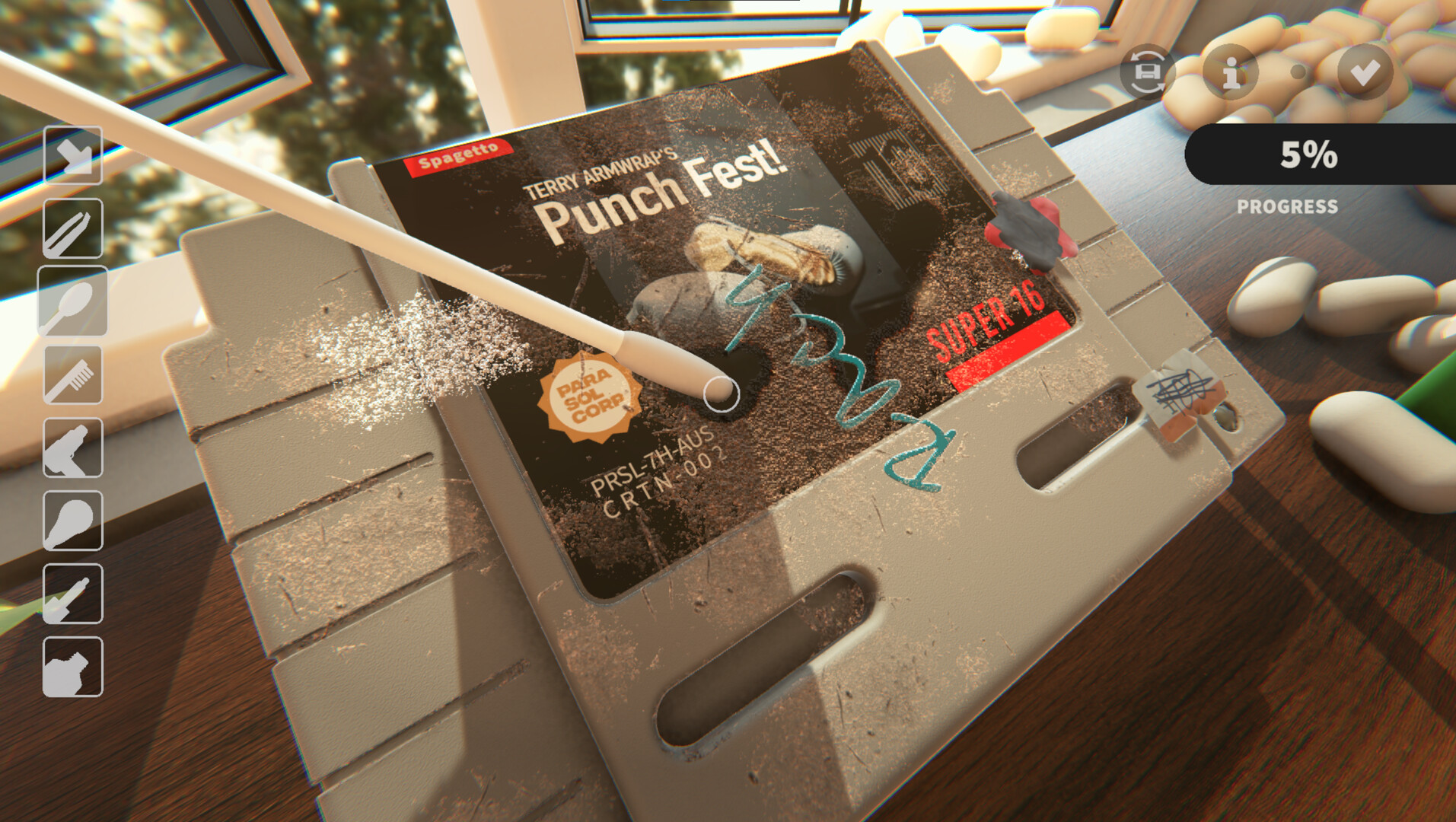
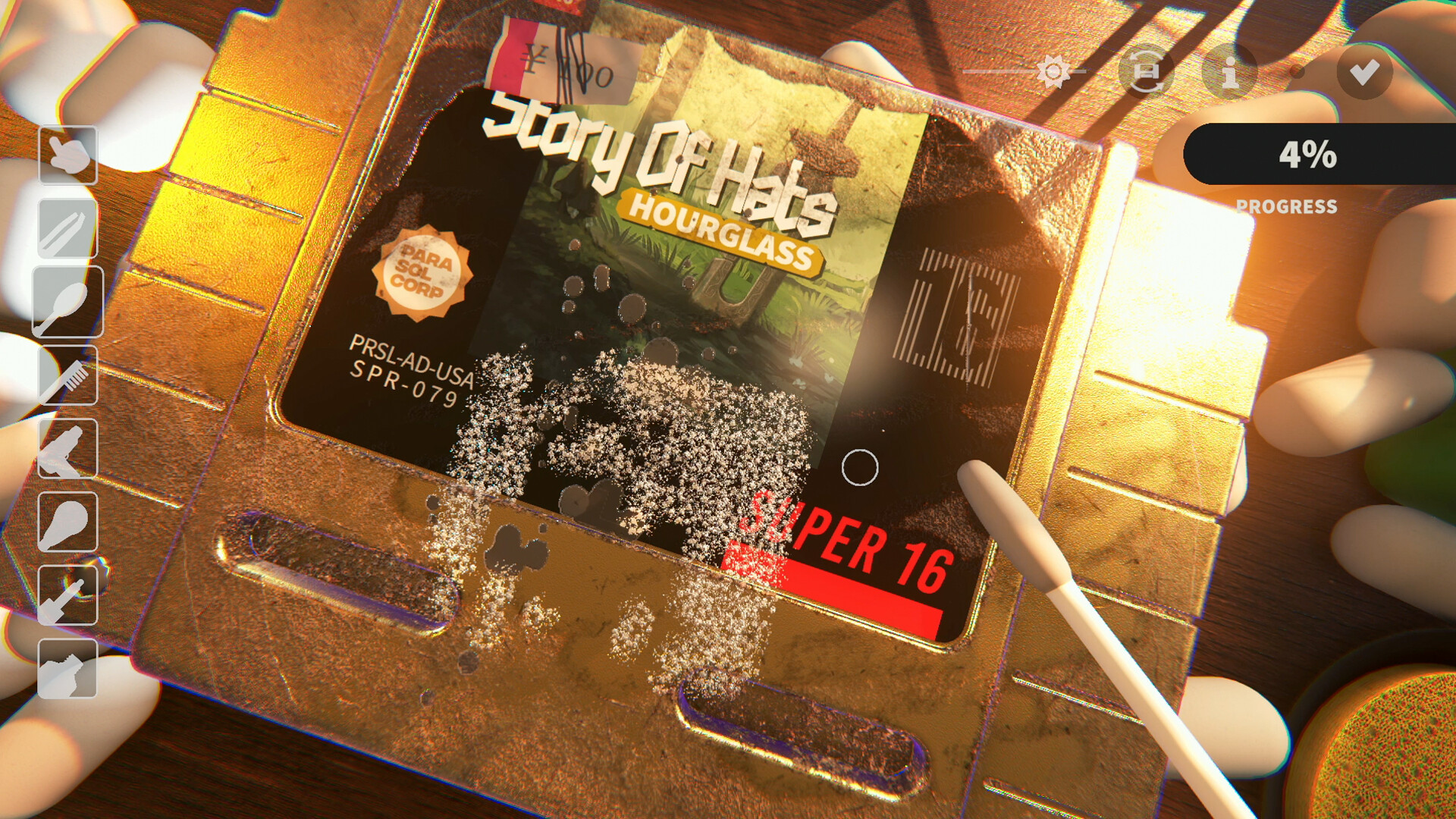
Cleaning is the whole game: every cartridge arrives procedurally dirtied, and grime is layered — dust, ink, discoloration, stickers and scratches each need a different tool. This guide collects the officially confirmed stain types, the unboxing basics, and the practical tips players discovered during the June demo.
Start With the Parcel: Unboxing Basics
Cartridges reach you inside mystery parcels sealed with tape. The official description is tactile on purpose: you peel the parcel open by hand, lifting flaps and wrestling with sticky tape to see what's inside. Condition and visuals are randomized per copy, so every unboxing is a small reveal.
The search interest around "cozy game restoration how to open box" comes from this system — there is no puzzle to solve, but the peeling interaction is the game's opening ritual for every single cart. Take the tape slowly; the game rewards patience over speed.
After the peel, the cart goes to your workbench, where the real loop starts: inspect the layers, pick the right tool, and work top to bottom.
The Five Stain Layers (Confirmed)
The Steam listing names the layers explicitly: "Dust, ink, discoloration, stickers, and scratches each require a different tool to remove." Surfaces also "stretch, smear, and lift as you work", which is why the same tool behaves differently on different grime.
What that means in practice: dust lifts with broad, gentle passes; ink and discoloration need their own treatments; stickers peel rather than scrub; and scratches are a shell problem, not a surface problem. The game does not publish a tool-to-stain cheat sheet yet — part of the demo feedback was exactly about making tool feedback clearer.
The demo's cleaning hotkey matters here: patch 4 added TAB on keyboard (and a controller equivalent) for continuous cleaning, which turns long grime passes from repeated clicking into a held action.
The Toothpaste Question
One of the strangest real search queries around this game is "cozy game restoration toothpaste". It comes from two places meeting: real retro collectors do use toothpaste as a mild abrasive for scratched game shells and cartridge contacts, and the game simulates scratch repair on collectible carts.
To be precise about what is confirmed: the official materials list scratches as one of the five stain layers with a dedicated tool — they do not name toothpaste as an in-game item. If you are trying toothpaste because of this game, you are emulating real-world collector practice, not following an official recipe.
The broader tip stands for both the game and real life: scratches are the deepest layer. Fix surface grime first, judge the shell after, and do not scrub a scratch that a gentler pass would survive.
Demo-Era Tips That Still Apply
The June demo patched in quality-of-life features that carry into the final demo: audio settings you can tune down, a tool toggle that works in more places, and TAB continuous cleaning. Use them — the game is deliberately slow, but the controls should never fight you.
Because every cart is procedurally dirtied, there is no universal 'best order'. A practical habit from demo players: do the reversible, low-risk layers first (dust, loose dirt), then stickers, and only then commit to anything abrasive.
Finally: there is no fail state. The official pitch is "No pressure or failure, just the quiet joy of restoring memories" — a botched pass costs you pride, not the cartridge.
FAQ
How do you clean cartridges in Cozy Game Restoration?
Each cart arrives with layered, procedurally generated grime — dust, ink, discoloration, stickers and scratches — and each layer is removed with a different tool. Work from gentle surface layers down to the shell.
How do you open the box?
Parcels arrive sealed with tape. You peel them open by hand, lifting the flaps and working the sticky tape — there is no puzzle, the unboxing itself is the ritual.
Does toothpaste work on scratches?
Toothpaste is a real-world collector trick for scratched shells, but the game only confirms that scratches need a dedicated tool — toothpaste is not named as an in-game item.
Is there a continuous cleaning mode?
Yes — demo patch 4 added a hotkey for continuous cleaning: TAB on keyboard, with a controller equivalent.
Can you fail a restoration?
No. The developer's official pitch is that the game has no pressure and no failure states — it is designed as a soothing experience.
Why does the same tool feel different on different carts?
Grime is layered and surfaces stretch, smear and lift as you work, so tool behavior changes with what is underneath.